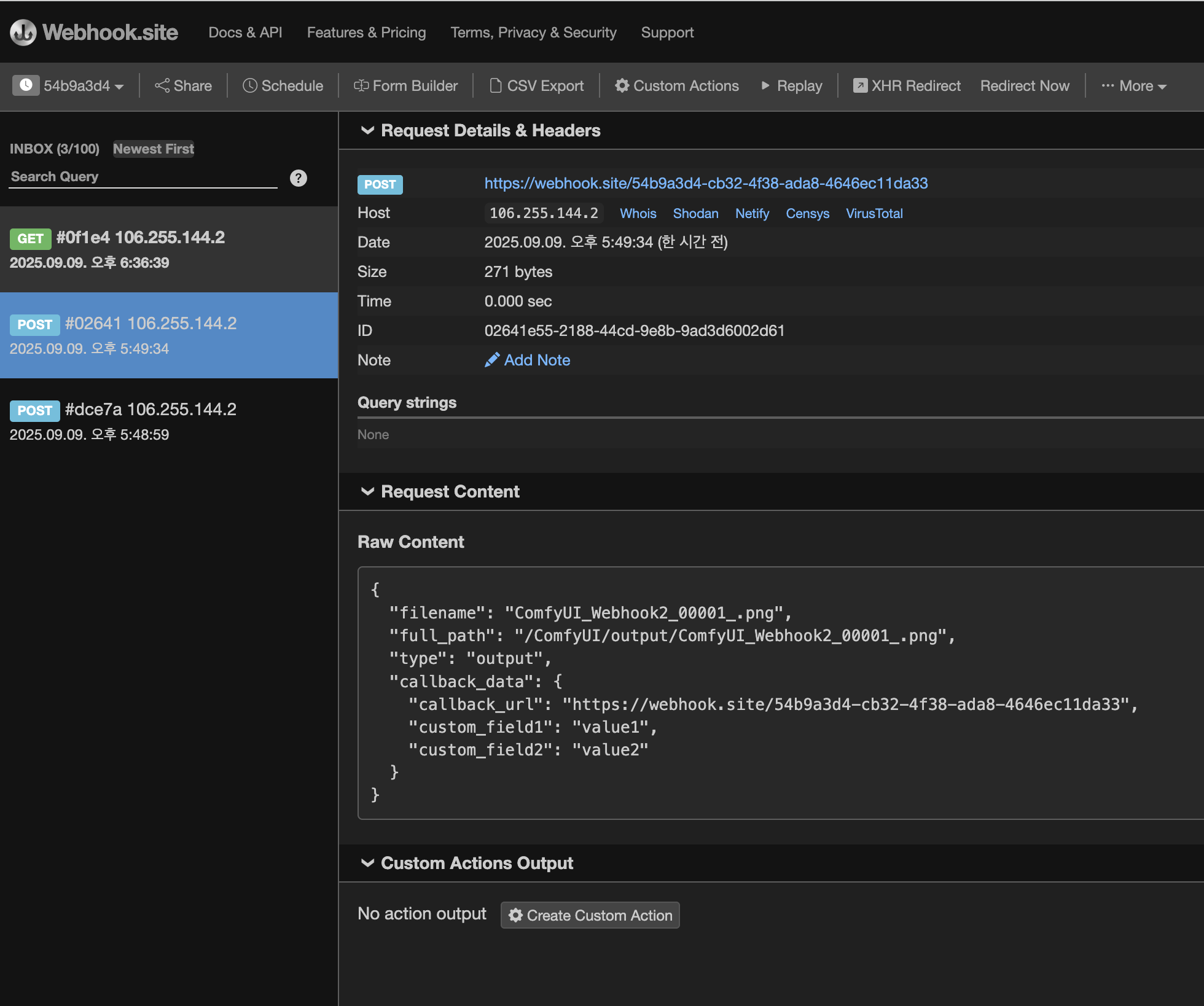
원하는 것.
이미지 생성 작업이 완료되면 (output 이 저장이 되면)
완료되었다는 웹훅을 발송하고 싶다.
1. 이런 처리를 위한 커스텀 노드 발견
https://github.com/WUYUDING2583/ComfyUI-Save-Image-Callback
GitHub - WUYUDING2583/ComfyUI-Save-Image-Callback: A ComfyUI custom node that adds webhook callback functionality to image savin
A ComfyUI custom node that adds webhook callback functionality to image saving operations, enabling seamless integration with external services and automated workflows. - WUYUDING2583/ComfyUI-Save-...
github.com
2. 워크플로우 아웃풋 부분에 Save Image With Callback 노드 연결
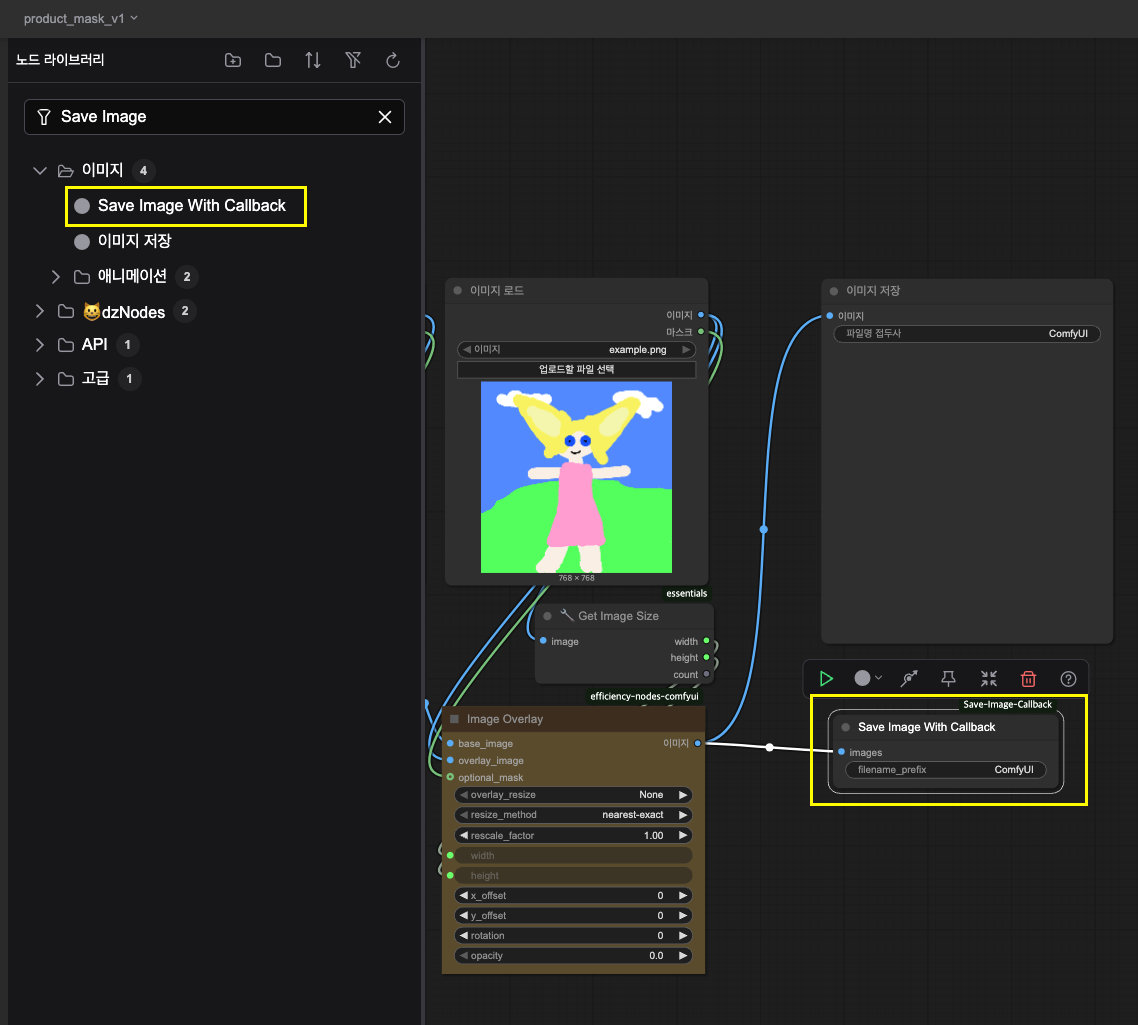
3. Export(API) 를 통해서 json 파일형태로 추출
[예시]
my_comfy_workflow.json
{
  "1": {
    "inputs": {
      "image": "lens.png"
    },
    "class_type": "LoadImage",
    "_meta": {
      "title": "이미지 로드"
    }
  },


  (...생략...)


  "19": {
    "inputs": {
      "filename_prefix": "ComfyUI",
      "images": [
        "5",
        0
      ]
    },
    "class_type": "Save Image With Callback",
    "_meta": {
      "title": "Save Image With Callback"
    }
  }
}
4. 웹훅을 받을 테스트 서버
Webhook.site - Test, transform and automate Web requests and emails
Webhook.site generates free, unique URLs and e-mail addresses and lets you see everything that’s sent there instantly. Unlimited requests, emails, DNSHooks Receive endless webhooks with addresses that can be managed in your account and never expire. View
webhook.site
위 사이트는 웹훅을 받을 수 있도록 고유 id 를 제공한다
5. (로컬에 띄운) comfyui 어플리케이션으로 prompt 요청
http://localhost:8188/prompt
{
  "prompt": {
    "1": {
      "inputs": {
        "image": "lens.png"
      },
      "class_type": "LoadImage",
      "_meta": {
        "title": "이미지 로드"
      }
    },

    (...생략...)


    "19": {
      "inputs": {
        "filename_prefix": "ComfyUI_Webhook2",
        "images": ["5", 0]
      },
      "class_type": "Save Image With Callback",
      "_meta": {
        "title": "Save Image With Callback"
      }
    }
  },
  "extra_data": {
    "extra_pnginfo": {
      "callback_data": {
                "callback_url": "https://webhook.site/54b9a3d4-cb32-4f38-ada8-4646ec11da33",
                "custom_field1": "value1",
                "custom_field2": "value2"
            }
    }
  }
}
6. prompt 요청이 완료되어 이미지가 저장되고, 웹훅을 받은 것 확인