1. 사용한 커스텀 노드
https://github.com/TemryL/ComfyS3
GitHub - TemryL/ComfyS3: ComfyS3 seamlessly integrates with Amazon S3 in ComfyUI. This open-source project provides custom nodes
ComfyS3 seamlessly integrates with Amazon S3 in ComfyUI. This open-source project provides custom nodes for effortless loading and saving of images, videos, and checkpoint models directly from S3 b...
github.com
2. 수동 git clone 방식 사용
/workspace/ComfyUI/custom_nodes 에서 필요한 노드 git clone 해주고
git clone https://github.com/TemryL/ComfyS3.git
3. 다운받은 ComfyS3 로 이동
cd ComfyS3
4. ComfyS3 에서 필요한 pip 의존성 설치
pip install -r requirements.txt
5. 클론 받은 ComfyS3 폴더 안의 .env 를 열어본다
cat .env
필요한 키값 기본 세팅이 되어있다
S3_REGION = "replace with your region"
S3_ACCESS_KEY = "replace with your access key"
S3_SECRET_KEY = "replace with your secret key"
S3_BUCKET_NAME = "replace with your bucket name"
S3_INPUT_DIR = "replace with your S3 input dir"
S3_OUTPUT_DIR = "replace with your S3 output dir"

# Optional Enviroment Variables
#S3_ENDPOINT_URL = "replace with your S3 Endoint Url"
6. 위 파일에 필요한 내용을 입력한다
cat > .env <<EOF
S3_REGION=ap-northeast-2
S3_ACCESS_KEY=AKO...
S3_SECRET_KEY=0jV4N...
S3_BUCKET_NAME=mytest...
S3_INPUT_DIR=input
S3_OUTPUT_DIR=output
EOF
7. *주의점 ComfyUI 의 Restart 로는 .env 변경사항이 읽히지 않음
나는 Runpod 을 사용하고 있어서 안전하게 아예 Pod을 새로 시작하고
스타트 스크립트부터 새로 시작했음
my_start.sh
source /workspace/miniconda3/bin/activate
conda activate comfyui
cd /workspace/ComfyUI
8. S3 에 업로드된 결과 확인 가능
*** 그런데 메타데이터가 Content-Type : binary/octet-stream 으로 되어있음

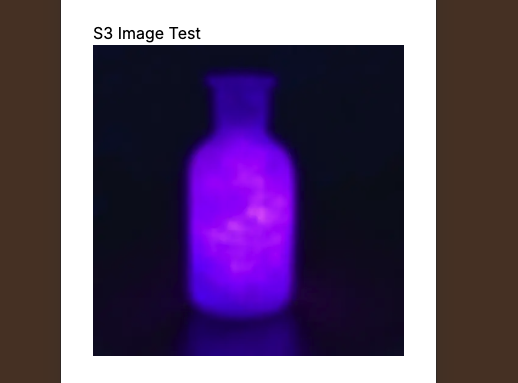
생성된 url 로 바로 접속하면 브라우저에서 이미지를 보여주는 것이 아니라 바로 다운로드를 해버린다
근데 프론트에서 <img> 태그에 src 에 해당 url 을 세팅하는 경우,
정상적으로 이미지를 잘 로드함
(딱히 문제될건 없어보임)
import Image from "next/image";

export default function S3ImageContainer() {
  return (
    <div>
      <div>S3 Image Test</div>
      <Image
        alt="S3 Image"
        className="h-full w-full object-cover"
        width={500}
        height={500}
        src="https://mybucket.s3.ap-northeast-2.amazonaws.com/output/Image_00001_.png"
        />
    </div>
  );
}
'AI' 카테고리의 다른 글
| [AI] Claude code 에게 페르소나 부여하기 (1) | 2025.09.01 |
|---|---|
| Runpod Serverless 로 ComfyUI 배포하기 (Pulid Faceswap 워크플로우 실행) (2) | 2025.08.27 |
| MacBook에서 GPU 없이 ComfyUI Docker 로컬 실행하기 (0) | 2025.08.12 |
| [Error] ComfyUI 발생 에러 PulidFluxInsightFaceLoader (1) | 2025.08.11 |
| RunPod 서버리스와 네트워크 볼륨을 이용한 ComfyUI API 배포하기(Deploying ComfyUI as an API on RunPod Serverless with Network Volume) (6) | 2025.07.28 |